







On this page
Modals are dialogs, not decorative layers
When focus stays behind a semi-transparent overlay, keyboard users cannot complete forms. When ESC does nothing, people assume the page froze. When screen readers read the page underneath as if nothing changed, you have failed the dialog pattern even if the modal looks pixel-perfect.
Accessibility for popups is less about checklists and more about focus management: move focus into the modal on open, trap it while open, restore it on close, and preserve a sensible tab order inside.
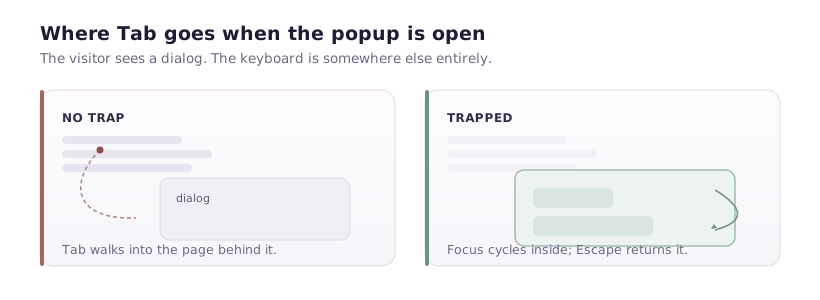
Focus trap does not mean hostage situation
Trapping focus means Tab cycles within the modal until it dismisses—not that users cannot leave. Always provide a visible close control, support ESC where appropriate, and ensure the close target is large enough for touch.
Labels, roles, and announcements
Dialogs should expose the correct role and name so assistive tech announces purpose (“Subscribe to updates dialog”). Form fields inside need associated labels; error summaries should move focus or use aria-live regions thoughtfully—live regions that spam updates are as bad as silent failures.
Motion and vestibular sensitivity
Respect prefers-reduced-motion for large transitions. A quick fade beats a dramatic zoom for many users.
Ship accessible popups faster with Popup Builder
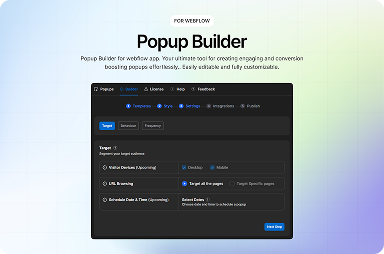
FlowAppz Popup Builder is aimed at Webflow teams who want templates and behaviour controls without reinventing accessible primitives on every project.
Review Popup Builder for Designer-first popup workflows.
Pre-release testing script
- Tab from the link that opens the modal: focus should land inside.
- Tab through all controls; Shift+Tab backwards; no escape to the page underneath.
- ESC closes and returns focus to the triggering element.
- VoiceOver or NVDA reads title, description, and field labels in order.
Accessible modals convert better because more people can actually complete them.